
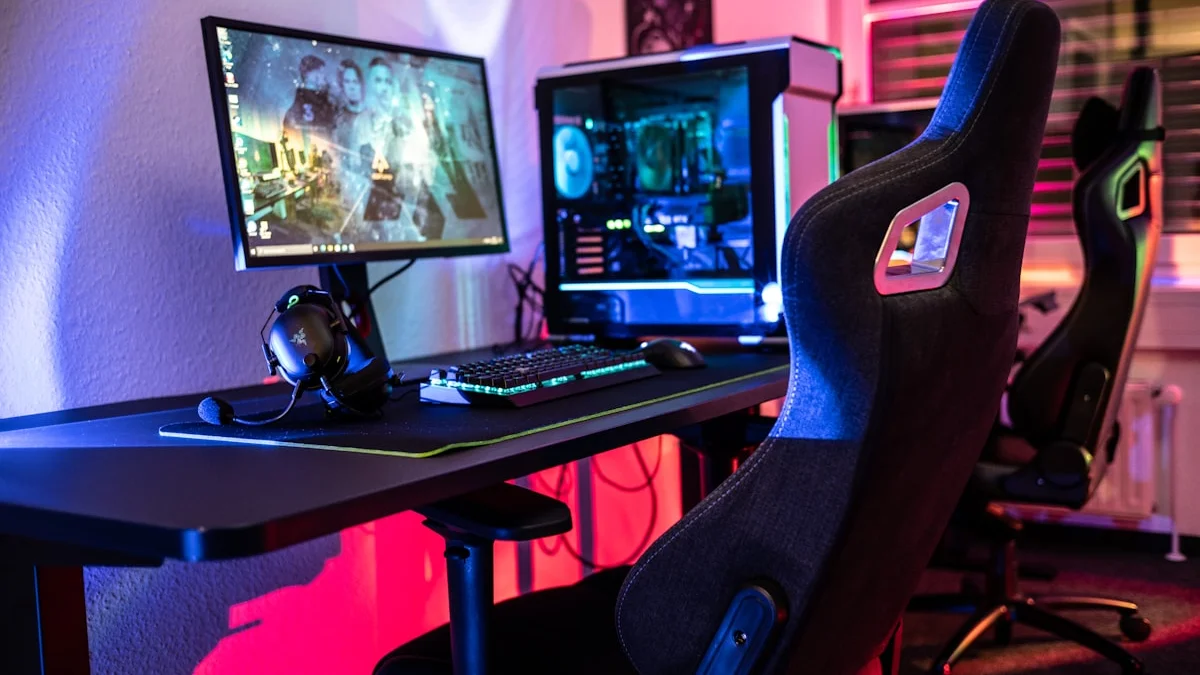
It’s easy to look at a polished streamer’s setup — multiple cameras, a wall of RGB lighting, a dedicated deck of programmable buttons, custom overlays reacting to every donation — and assume you need all of it just to start. You don’t. The gear that actually matters for getting a stream off the ground in 2026 is a fairly short list, and most of what makes a big-name setup look impressive is refinement added over months or years, not a starting requirement. This guide separates what genuinely matters for a beginner streaming setup from what’s safely a later upgrade.
The Non-Negotiables: Audio, Capture, and a Stable Connection
If you take away one thing from this guide, let it be this: audio quality matters more to viewers than video quality, especially early on. Viewers will tolerate a mediocre webcam far more readily than they’ll tolerate scratchy, echoing, or inconsistent audio, because bad audio is fatiguing to listen to in a way that bad video simply isn’t. A decent USB microphone, positioned close to your mouth and paired with basic noise handling either through hardware or through free software-side processing, will do more for how professional your stream feels than almost any other single purchase.
Beyond audio, you need a way to actually get your gameplay onto your stream. If you’re playing on PC, this is largely handled by free broadcasting software that captures your screen and game audio directly — no extra hardware required for the capture step itself. If you’re streaming from a console, you’ll need a capture card to bring that video signal into your PC for encoding and broadcasting; a solid entry-level capture card handling reliable 1080p60 capture is genuinely sufficient for the large majority of new streamers, and paying more for higher resolutions or frame rates only matters once your content and audience actually call for it. Finally, a stable upload connection, ideally wired rather than relying on Wi-Fi, will save you more stream-ending headaches than any piece of hardware you can buy.
Webcam and Lighting: Good Enough Beats Expensive
A webcam matters for building a connection with viewers, but the gap between an inexpensive, well-reviewed webcam and a premium one is far smaller than the gap between good and bad lighting. Lighting is the single most underrated upgrade for a beginner setup, because even a modest webcam looks dramatically better with even, flattering light on your face than an expensive webcam does in a dim, unevenly lit room. You don’t need a full RGB lighting rig to start — a single affordable key light positioned in front of and slightly above you, or even a well-placed desk lamp with a diffuser, makes a bigger visible difference than most people expect. Fancier multi-light setups, color-matched RGB panels, and background lighting are genuinely nice, but they’re refinements to add once you’ve got the fundamentals of clear, well-lit video working.
Stream Deck-Style Controllers: Convenient, Not Essential
Dedicated stream control devices, the small keypads loaded with programmable buttons for switching scenes, triggering sound effects, or controlling your lighting and camera, are a genuinely useful piece of gear once your stream has enough moving parts to justify them. Early on, though, most of what these devices do can be handled with keyboard hotkeys inside your broadcasting software, which costs nothing beyond the time it takes to set up. As your setup grows to include multiple scenes, overlays, sound effects, and connected devices, a dedicated control deck starts paying for itself in convenience and reduces the chance of fumbling a scene change live. Some models now combine a stream deck’s programmable buttons with basic audio mixing controls in a single device, which can be a reasonable one-purchase option if you know you’ll want both eventually, but it’s a comfortable and defensible thing to skip entirely in your first few months of streaming.
What Actually Matters vs What’s a Later Upgrade
If you’re mapping out what to buy first, prioritize in roughly this order: a reliable microphone, basic key lighting, a stable wired internet connection, and — if you’re streaming from console — an entry-level capture card. That combination covers the overwhelming majority of what determines whether a new viewer sticks around: can they hear you clearly, can they see you reasonably well, and does the stream stay up without buffering or dropping. Everything past that point is a refinement rather than a requirement. A second camera angle, a green screen and background removal, a dedicated audio mixer, multiple lights for cinematic effect, a stream deck, and higher-end capture hardware for 4K or higher frame rates are all things that genuinely improve a stream’s polish, but they solve problems that mostly only become apparent once you’re already streaming regularly and have a sense of what your specific content actually needs.
Avoiding the Overspending Trap
The most common mistake new streamers make isn’t picking bad gear, it’s buying too much of it too soon, based on comparing their brand-new setup to a full-time streamer’s setup that’s been assembled and refined over years. Spend your early budget on the fundamentals that affect every single stream you do — audio and lighting chief among them — and resist the pull to buy specialty gear for problems you don’t have yet. It’s also worth streaming for a few weeks with a minimal setup before spending more, since you’ll have a much clearer, more specific sense of what’s actually limiting your stream once you’ve put in some real hours, rather than guessing based on what other people’s setups look like. Gear helps, but consistency, watchable audio, and a personality viewers want to spend time with will do more for a new stream’s growth than any individual purchase on this list.