
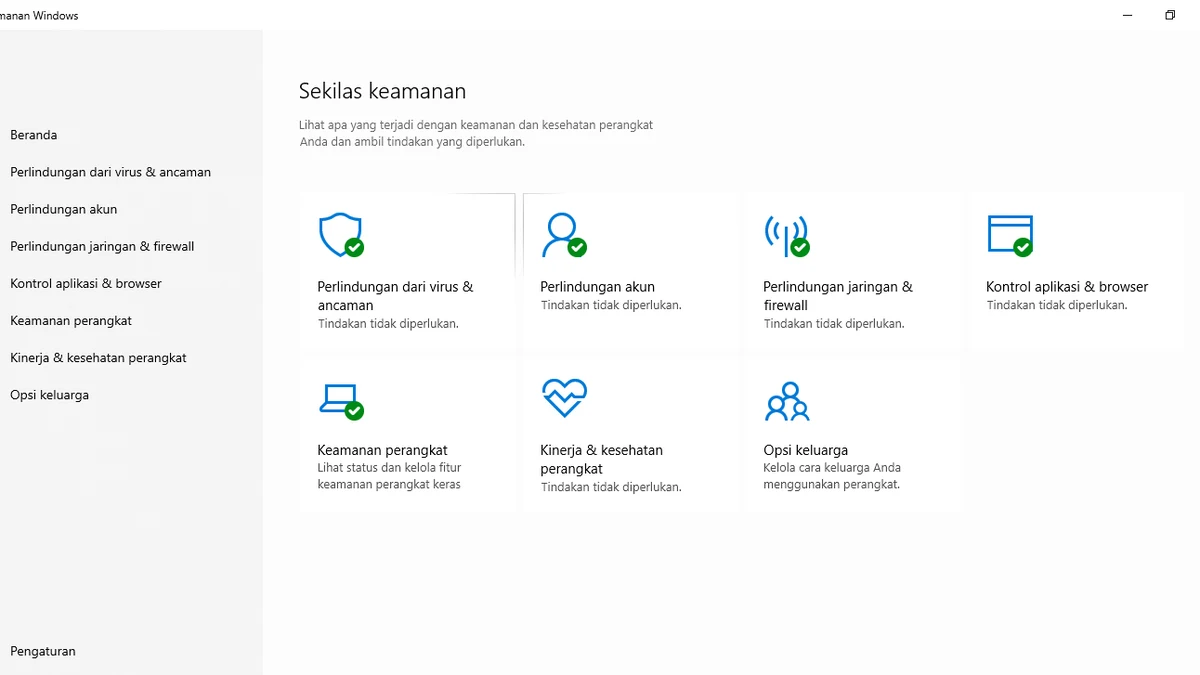
Windows Defender is good enough for most gamers in 2026, and that’s a genuinely different answer than it would have been five or six years ago. Independent testing labs now score Microsoft’s built-in protection close to paid alternatives, and it comes with zero subscription cost and tight OS integration. Third-party antivirus still wins on extra features — VPNs, dedicated game boosters, dark web monitoring — but the security gap that used to justify paying for protection has narrowed to the point where it’s a real, close call rather than an obvious choice.
How Windows Defender’s Detection Actually Stacks Up Now
The biggest shift in this comparison over the past several years is detection quality. In AV-TEST’s February 2026 evaluation, Microsoft Defender scored a perfect 6/6 across protection, performance, and usability, tested against a set of more than 12,000 malware samples, with only two false positives recorded — below the industry average.
AV-Comparatives’ March 2026 Real-World Protection Test tells a similar but slightly more nuanced story: Microsoft Defender blocked 98.5% of live malware samples, compared to 99.5% or higher from top-tier paid products like Bitdefender, Norton, and TotalAV. In a separate 10,000-sample online protection round from the same lab, Defender hit 99.89%, still earning an Advanced+ award, versus roughly 99.97% for the top-scoring paid suite. That gap works out to roughly eight missed samples out of ten thousand — functionally negligible for the kind of everyday threats most gamers actually encounter, though a real distinction for high-risk users.
The practical conclusion from these numbers: Defender is no longer the “bare minimum” option it once was. It earns top marks from the same independent labs that paid antivirus vendors use to advertise their own products, and it does so as software that’s already installed and free.
Resource Usage: Built-In vs. Bolted-On
Windows Defender has a structural advantage here that’s easy to overlook — it’s part of the operating system, not a separate application layered on top of it. That means no duplicate background services, no separate update mechanism competing for bandwidth, and no second real-time scanning engine running alongside it (Windows automatically disables Defender’s real-time protection the moment you install another real-time antivirus, specifically to avoid the resource and stability cost of running two at once).
Third-party suites vary widely in resource footprint. Lightweight, well-optimized products from major vendors post FPS impacts in the same 1-to-3% range as Defender in current AV-Comparatives Performance Testing. Bloated suites with extra bundled tools — password managers, system tuners, browser extensions, VPN clients all running simultaneously — tend to carry more background overhead even when their core scanning engine is efficient. If resource usage is your main concern, the deciding factor is less “Defender vs. third-party” and more “how many extra background services does this particular product install.”
Gaming-Specific Features: Where Paid Antivirus Pulls Ahead
This is the category where third-party products still have a clear, real advantage. Windows Defender has no dedicated, branded gaming mode of its own; it relies on Windows’ general Focus Assist feature to suppress notifications during fullscreen apps, and it doesn’t proactively throttle or reschedule its own scans around detected games the way dedicated gaming modes do.
Paid antivirus vendors, by contrast, build gaming features specifically:
- Bitdefender’s Autopilot/Game Profile detects fullscreen games automatically via a known-games list and behavioral heuristics, then disables alerts and promotional pop-ups and postpones scheduled scans and updates until you’re finished playing.
- Norton 360 for Gamers triggers the moment you launch a game in fullscreen, suppressing pop-ups, scheduled scans, and Windows notifications, and includes game-focused extras like a dedicated gamer dashboard.
- Kaspersky and ESET’s Gamer Mode pause scan and update tasks and block notifications automatically whenever an app runs fullscreen.
If you want an antivirus that actively recognizes when you’re playing and reschedules itself around you without any manual setup, that’s still a third-party strength. Defender can be configured manually (quiet hours, scan scheduling, exclusions) to achieve a similar practical result, but it doesn’t do it automatically out of the box the way these dedicated modes do.
What You Get With a Paid Subscription That Defender Doesn’t Offer
Beyond gaming-specific polish, paid suites typically bundle features that have nothing to do with malware scanning but factor into the “which is better” decision for many buyers:
- VPN access (often bandwidth-limited on lower tiers)
- Dark web monitoring and identity theft alerts
- Password managers
- Webcam and microphone protection
- Parental controls
- Cloud backup storage
- Dedicated customer support
Windows Defender includes none of this. It’s a security engine plus basic firewall integration and ransomware protection for designated folders — solid, but narrowly scoped. If you specifically want a VPN or identity monitoring bundled with your antivirus, that alone tips the decision toward a paid suite regardless of the detection-rate comparison.
Who Should Stick With Defender
Windows Defender is a reasonable, defensible choice if you: keep Windows and your browser updated, avoid downloading cracked games or “keygen” tools (a major malware vector for PC gamers specifically), don’t need a bundled VPN or identity monitoring, and want to avoid any subscription cost or extra background processes. For this profile, current independent test data doesn’t show a security gap large enough to justify a paid product on protection grounds alone.
Who Should Consider a Third-Party Suite
A paid antivirus is worth considering if you: frequently download files from less-trusted sources (mod sites, torrents, unofficial patches), want an automatic, branded gaming mode without manual configuration, want bundled extras like a VPN or dark web monitoring, or simply want the extra half-percentage-point of detection that top-tier labs currently show for products like Bitdefender and Norton over Defender. None of these reasons are about Defender being unsafe — they’re about wanting more than a security engine alone provides.
Conclusion
For pure malware protection, Windows Defender in 2026 is close enough to premium third-party antivirus that “which is better for gamers” comes down to features, not safety. Defender wins on resource efficiency and cost — it’s free and built into the OS with no duplicate background processes. Paid antivirus wins on dedicated, automatic gaming modes and bundled extras like VPNs and dark web monitoring, plus a small but real edge in real-world detection scores from AV-Comparatives and similar labs. If you’re a cautious downloader who wants zero subscription cost, Defender is genuinely enough. If you want automatic fullscreen gaming optimizations and extra security tools bundled in, a paid suite still earns its price.
Sources: AV-TEST February 2026 evaluation, AV-Comparatives Real-World Protection Test and Malware Protection Test (March 2026).