
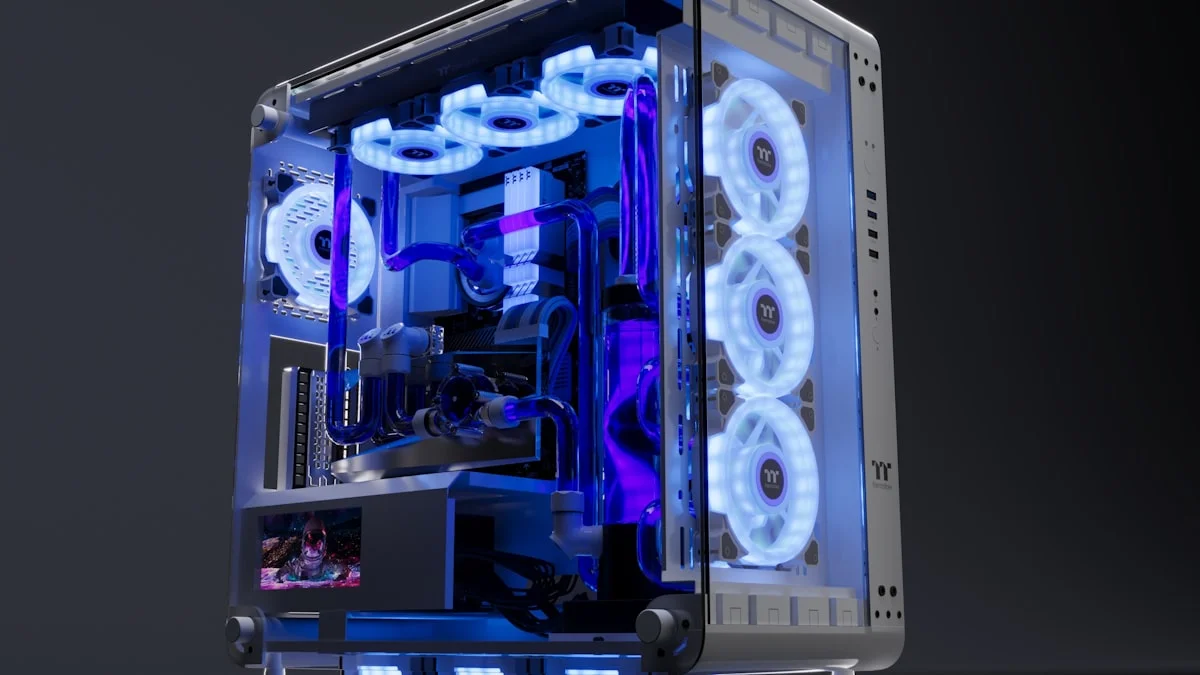
The PC case is one of the most overlooked components in a build, often chosen last and based mostly on looks. That’s a mistake, because the case you pick directly affects how cool your components run, how easy the build process is, and how much room you have to grow your system in the future. A great case doesn’t need to be expensive or flashy, but it does need to get a handful of fundamentals right, and understanding those fundamentals will save you from a frustrating build and disappointing temperatures down the line.
Form Factors Explained: ATX, mATX, and ITX
Case size decisions start with matching your case to your motherboard’s form factor, and the three common sizes are ATX, micro-ATX, and mini-ITX. Full ATX is the most common choice and offers the most room to work with, generally supporting more expansion slots, easier cable routing, and better airflow simply because there’s more physical space for components and fans. Micro-ATX, often shortened to mATX, is a step down in size while still supporting a full-size GPU and a reasonable number of drives, making it a solid middle ground for people who want a smaller footprint without the compromises of a truly compact build. Mini-ITX is the most compact option, built around single-slot motherboards and designed for small form factor builds that can sit neatly on a desk or in a media console, but that compactness comes with real tradeoffs, including tighter cable management, fewer expansion options, and often more challenging cooling due to the reduced space for fans and airflow. Choose your form factor based on how much space you actually have and how much you value expandability over compactness, rather than defaulting to whichever looks most impressive in photos.
Airflow vs Aesthetics: Why Mesh Usually Wins
For years, cases with large glass panels and minimal ventilation were popular purely for their look, but that design comes at a real cooling cost, since a mostly sealed case restricts the airflow your fans need to actually move heat out of the system. Mesh front panels, which are now standard on most well-regarded cases, allow significantly more air to flow through, which translates directly into lower component temperatures and quieter fan operation, since fans don’t need to spin as fast to compensate for restricted airflow. The good news is that this used to be a real tradeoff between looks and performance, but modern case design has largely closed that gap, with plenty of cases now offering mesh fronts alongside tempered glass side panels, giving you strong airflow without sacrificing the ability to show off your components. When comparing cases, treat the front panel design as one of the most important specifications on the list, since it has an outsized effect on how your whole system runs day to day.
Cable Management Space and Why It Matters More Than You Think
The space behind your motherboard tray, often overlooked in case reviews and marketing photos, is one of the most practical features to pay attention to. Adequate cable management space makes routing power, data, and fan cables dramatically easier, resulting in a cleaner build that’s simpler to work on later when you want to add a drive or swap a component. Cases with too little room behind the tray force cables into an awkward, compressed bundle that can be genuinely difficult to close the side panel over, and that cramped routing can also restrict airflow if cables end up running through the main airflow path instead of behind it. A related and increasingly common feature worth knowing about is support for back-connect motherboards, a newer motherboard design that moves power connectors to the board’s edge so cables route directly into the space behind the tray, resulting in exceptionally clean builds, though this requires a case specifically designed with matching cutouts to support it. Even if you’re not using a back-connect board, generous cable routing channels and tie-down points are a sign of a case designed with real builders in mind rather than just photographs.
Cooling Support: Fans, Radiators, and Clearance
Beyond the front panel material, pay close attention to how many fans a case supports out of the box and how many more it can accommodate, since stock fan counts vary widely even among similarly priced cases. If you’re planning to use an all-in-one liquid cooler, check the case’s radiator support carefully, including both the size of radiator it fits and where it can be mounted, since top-mount radiator clearance is sometimes limited by RAM height or motherboard components. GPU clearance is another dimension worth checking before buying, particularly for larger, high-end graphics cards that can be quite long and sometimes surprisingly thick with modern cooling shrouds, since a case that’s too shallow will simply prevent your GPU from fitting at all. Positive air pressure, where intake fans slightly outnumber or outperform exhaust fans, helps reduce dust buildup inside the case over time, so it’s worth thinking about your overall fan configuration rather than just adding fans wherever there’s an open mounting point.
Build Quality Signs Worth Checking Before You Buy
Build quality is harder to judge from photos alone, but there are reliable signals to look for. Steel panels that feel rigid rather than flexing under light pressure, hinges and latches on tempered glass panels that feel solid rather than flimsy, and drive bays or trays that slide smoothly without excessive play are all good indicators of a well-made case. Thumbscrews rather than requiring a screwdriver for every panel is a small but genuinely useful convenience during the build process and for future upgrades. Reading build-focused reviews rather than just spec sheets is worth the time here, since actual builders will often mention practical issues like sharp edges, misaligned panel gaps, or fan mounting holes that don’t quite line up, details that never show up in a manufacturer’s marketing photos but make a real difference once you’re elbow-deep in a build.
Common Case-Buying Mistakes to Avoid
The most frequent mistake is prioritizing looks so heavily that airflow becomes an afterthought, resulting in a beautiful case that runs hotter and louder than it needs to. Another common error is underestimating space requirements, buying a case that technically fits your GPU on paper but leaves no room for cable routing or additional drives down the line, which becomes frustrating the first time you try to upgrade. Buying a case that’s dramatically larger than necessary is its own kind of mistake too, since an oversized full tower for a modest build wastes desk space and money without providing any real benefit if you’re not planning to fill it with extra drives, fans, or a custom loop. Finally, don’t ignore the small details like front panel connector selection, since a case without a USB-C port or with an inconveniently placed power button can be a minor daily annoyance that’s easy to avoid by checking the specifications closely before you commit to a purchase.