
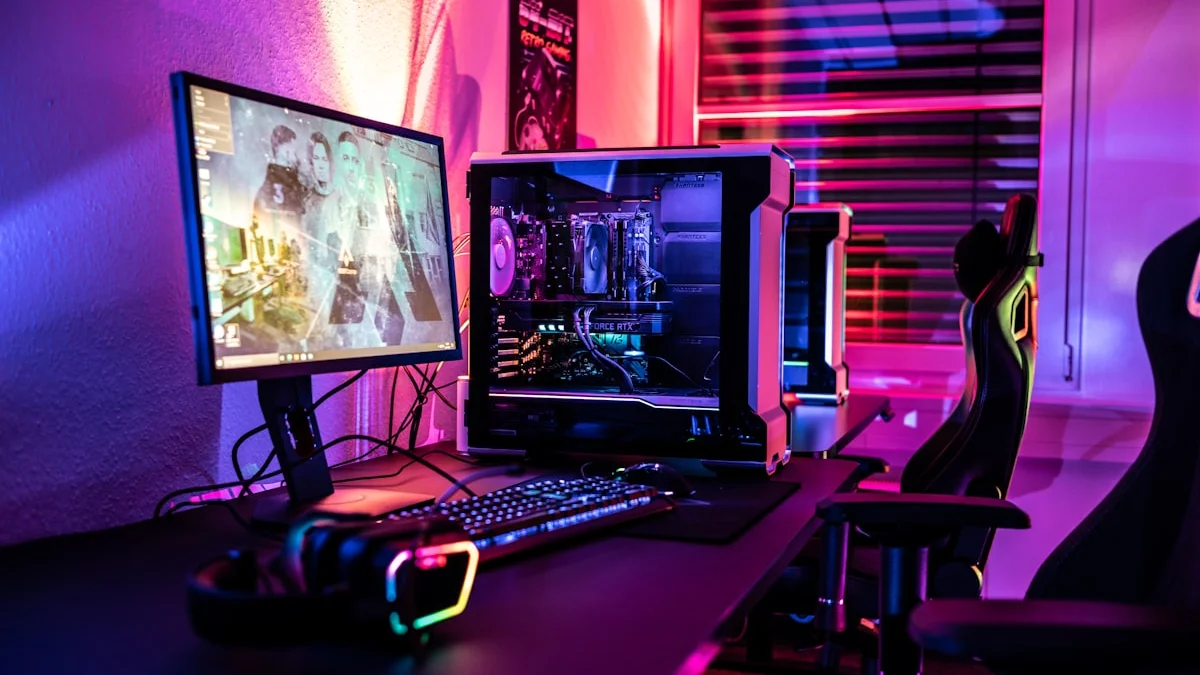
Long gaming sessions can take a real toll on your body if your setup isn’t working with you rather than against you. This isn’t about scary warnings or medical claims, it’s about the same practical, common-sense principles that apply to anyone who sits at a desk for hours at a time, adapted for how gamers actually sit, lean, and react during play. Small adjustments to your desk, chair, monitor position, and habits can make a noticeable difference in how your wrists, back, neck, and eyes feel after a long session, and most of these changes cost little or nothing to implement.
Getting Your Chair and Desk Height Right
The foundation of a comfortable setup is having your chair and desk at heights that let your body sit in a relaxed, neutral position rather than one that forces you to hunch, reach, or slouch. A good starting point is setting your chair height so your feet sit flat on the floor with your knees at roughly a 90-degree angle, and your desk height should allow your forearms to rest comfortably parallel to the floor when your hands are on your keyboard and mouse. If your desk is a fixed height that doesn’t quite match your chair, an adjustable chair is usually the easier and cheaper fix, though a footrest can also help if your feet dangle above the floor. Lower back support matters more than people expect during long sessions, since a chair that lets your lower back curve inward naturally will reduce the fatigue that builds up from hours of sitting, so look for a chair with decent lumbar support or add a cushion if yours lacks one.
Monitor Position: Height, Distance, and Angle
Where your monitor sits relative to your eyes has an outsized effect on neck and upper back comfort over long sessions. A common mistake is placing the monitor too low, which forces your neck to tilt downward for hours and leads to that familiar ache at the base of your skull and across your shoulders. As a general guide, the top of your monitor should sit at or just slightly below eye level when you’re sitting upright, so your gaze falls naturally and slightly downward toward the center of the screen rather than requiring you to tip your head. Distance matters too, and a reasonable starting point is placing your monitor roughly an arm’s length away, adjusting closer or farther depending on your screen size and personal comfort, since sitting too close forces your eyes to work harder to focus and can contribute to fatigue over time. If you use multiple monitors, try to keep your primary display directly in front of you rather than off to the side, since a twisted neck position held for hours is one of the more avoidable strain sources in a gaming setup.
Mouse, Keyboard, and Wrist Position
Wrist strain during gaming usually comes from a combination of awkward angles and sustained tension rather than any single bad habit. Try to keep your wrists in a relatively neutral, straight position while using your mouse and keyboard, rather than bending them upward or to the side for extended periods, since that bent position increases pressure on the tendons that run through the wrist. A wrist rest can help maintain a neutral angle, though it’s meant to support your wrist between movements rather than to rest your weight on constantly while actively gaming. Keyboard and mouse height relative to your elbow matters as well, and if your desk is too high, raising your chair and adding a footrest is often more comfortable than reaching upward. Grip tension is another underrated factor, since many gamers unconsciously grip their mouse tightly during intense moments, and consciously relaxing your hand periodically during less demanding parts of a game can reduce the cumulative fatigue that builds up over a session.
Eye Strain and the 20-20-20 Habit
Staring at a bright screen for hours reduces how often you blink, which dries out your eyes and contributes to that gritty, tired feeling after a long session. A simple and widely recommended habit is the 20-20-20 approach, where roughly every 20 minutes you look at something about 20 feet away for at least 20 seconds, giving your eye muscles a brief break from focusing at a fixed close distance. Screen brightness also matters more than people realize, and a monitor that’s dramatically brighter or dimmer than the ambient light in your room forces your eyes to work harder to adjust, so matching your screen brightness reasonably close to your room’s lighting tends to feel more comfortable over long sessions. If you’re playing in a dark room with a bright screen, consider adding some soft bias lighting behind your monitor, which reduces the contrast between the screen and its surroundings and is a small change that a lot of long-session gamers find genuinely helpful.
Building Breaks Into Long Sessions
It’s easy to lose track of time during an engaging game, but regular breaks are one of the simplest and most effective ways to reduce cumulative strain across a long session. Standing up, stretching, and walking around for even a few minutes every hour gives your back, hips, and wrists a chance to reset before tension builds up further. Natural break points exist in most games, whether it’s between matches, at a loading screen, or after finishing a mission, and getting in the habit of using those moments to stand and stretch rather than immediately queuing into the next round makes a meaningful difference over a multi-hour session. Setting a quiet timer or reminder can help if you tend to lose track of time, since the goal isn’t to interrupt your enjoyment but to build breaks into your routine before discomfort forces the issue.
Small Equipment Choices That Add Up
Beyond the big setup decisions, a handful of smaller equipment choices can compound into meaningfully better comfort over time. A mouse that fits your hand size and grip style comfortably will reduce strain more than a fancier one that doesn’t suit your hand shape, so trying different shapes if you experience discomfort is worth the effort. Keyboards with a lower profile or a slight negative tilt can help keep wrists in a more neutral position for some people, while others find a wrist rest more effective, so it’s worth experimenting to see what actually works for your body rather than assuming one standard setup fits everyone. None of these changes need to happen all at once, and even implementing one or two of them, like fixing monitor height or committing to regular breaks, tends to produce a noticeable improvement in how you feel after long sessions.