
Storage is one of those components gamers tend to underthink until they run into a problem, whether that’s a game refusing to install because a drive is full, or load screens that drag on long enough to break immersion. The good news is that storage decisions in 2026 are more straightforward than they used to be, because solid-state drives have become the default for gaming and the real question isn’t really “SSD or HDD” anymore so much as “how much SSD, and does a hard drive still earn a spot in the system.”
Why SSDs Won the Load Time Argument Outright
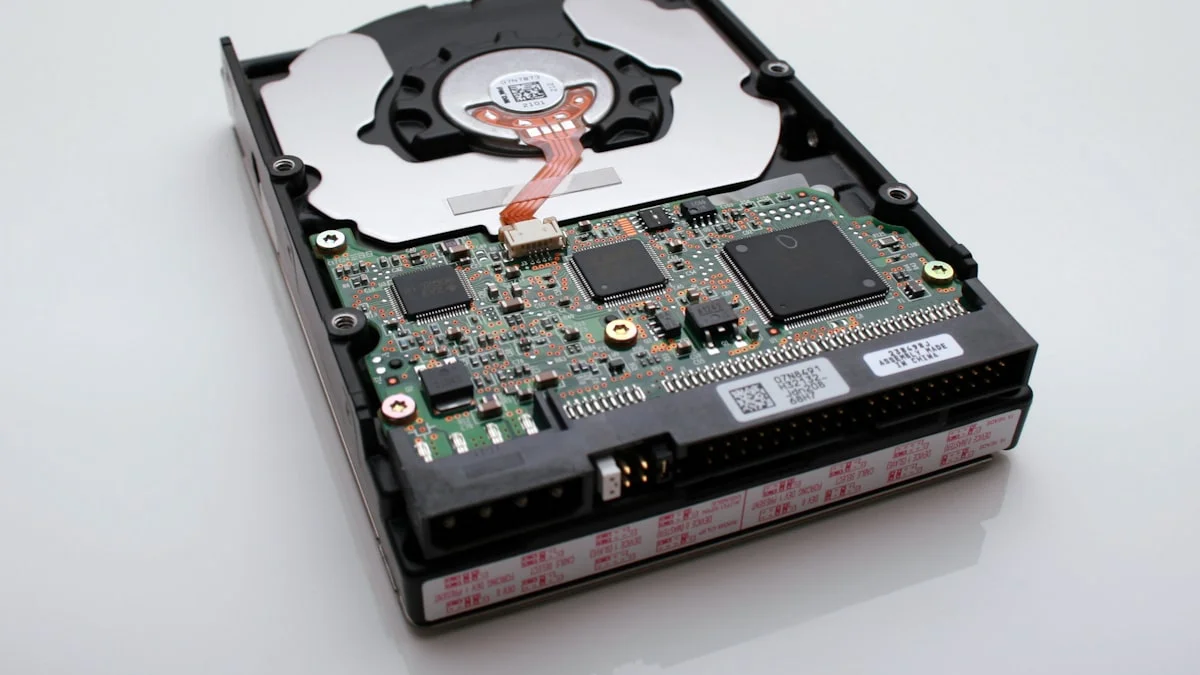
The difference between solid-state and mechanical storage isn’t subtle when it comes to game performance. A traditional hard drive relies on a spinning platter and a physical read head that has to move to the correct location on the disk, which introduces mechanical latency that no amount of clever engineering can fully eliminate. A solid-state drive has no moving parts and can access data almost instantly, which translates directly into faster game launches, quicker level loads, and noticeably shorter waits when fast-traveling or respawning in open-world titles. Several major games have been built with SSD speeds specifically in mind, using fast storage to stream in assets on the fly rather than loading everything up front, which means running those titles on a mechanical drive doesn’t just feel slower, it can genuinely change how the game behaves. For any system where gaming is the priority, an SSD as the primary drive isn’t really optional anymore; it’s the baseline expectation.
NVMe vs SATA SSDs: The Distinction That Actually Matters Now
Not all SSDs are equal, and the more relevant comparison for most builders today is NVMe versus SATA rather than SSD versus HDD. SATA SSDs connect through the same interface older hard drives used and are capped by that interface’s bandwidth, while NVMe drives connect directly through the PCIe bus and offer dramatically higher throughput. In practical terms, SATA SSDs already deliver a huge upgrade over mechanical drives for everyday responsiveness and are noticeably cheaper per gigabyte, which makes them a reasonable choice for secondary or bulk storage. NVMe drives, on the other hand, offer meaningfully faster sustained transfer speeds, which matters most for very large file operations like installing massive game libraries quickly or transferring big files between drives, and for a handful of titles that are specifically optimized to exploit high-speed storage. For most gamers, the honest takeaway is that the jump from mechanical to SSD is the transformative one, while the jump from SATA SSD to NVMe is a smaller, nice-to-have improvement that matters more for enthusiasts and heavy multitaskers than for typical single-game sessions.
Planning Around Modern Game Install Sizes
Anyone who has tried to install a handful of current AAA titles has run into the same wall: modern games are large, with many major releases now routinely occupying 80 to 150 gigabytes or more once textures, cutscenes, and day-one patches are accounted for. A drive that felt spacious a few years ago can fill up embarrassingly fast once you factor in a handful of big titles alongside your operating system and everyday applications. When planning storage capacity, it makes sense to think in terms of how many large games you realistically want installed at once rather than picking a number that felt generous in the abstract. A primary NVMe drive in the 1TB to 2TB range has become a reasonable baseline for anyone with more than a couple of demanding games, and treating anything smaller as a long-term solution usually leads to a frustrating cycle of uninstalling and reinstalling titles to make room.
Does a Hard Drive Still Have a Role?
Traditional hard drives haven’t disappeared from gaming setups entirely, but their role has shifted from primary storage to bulk archival storage. Where an HDD still makes sense is for storing large media libraries, game backups, older titles you’re not actively playing, or general file storage where load speed isn’t a concern. The cost per gigabyte on mechanical drives remains meaningfully lower than SSDs at large capacities, which makes them a reasonable way to store terabytes of less time-sensitive data without paying a premium. What doesn’t make sense anymore is installing your operating system or actively played games on a hard drive purely to save money, since the performance compromise is significant and SSD pricing at moderate capacities has become accessible enough that the savings rarely justify the tradeoff for your primary drive.
Practical Storage Setups Worth Considering
For most gaming builds, a sensible approach is a fast NVMe drive as the primary drive for your operating system and the games you’re actively playing, sized generously enough to avoid constant shuffling of installs. From there, the choice of secondary storage depends on your habits. Gamers who cycle through a large and varied library benefit from a second, larger SSD, whether SATA or NVMe, to keep more titles instantly accessible without load-time compromises. Gamers who mostly play a handful of titles at a time but want to archive a big collection, along with media, screenshots, or captured footage, are well served by adding a large-capacity hard drive purely for that bulk storage role, keeping costs down where speed isn’t critical. It’s also worth noting that NAND flash pricing, like other memory types, has seen upward pressure recently due to broader chip supply constraints, so it pays to compare current pricing across drive types and capacities rather than assuming SSD prices are static.
The Bottom Line on Storage in 2026
The SSD versus HDD debate for gaming has effectively been settled: solid-state storage is the right choice for anything you actively play, full stop. The more useful decisions now are how much fast storage to buy, whether NVMe’s extra speed is worth its premium for your specific use case, and whether a hard drive still earns a place in your system as inexpensive bulk storage for the things speed doesn’t matter for. Build your storage plan around your actual game library and habits rather than an arbitrary capacity number, and you’ll avoid both overspending on speed you won’t notice and underbuying capacity you’ll regret within a year.