
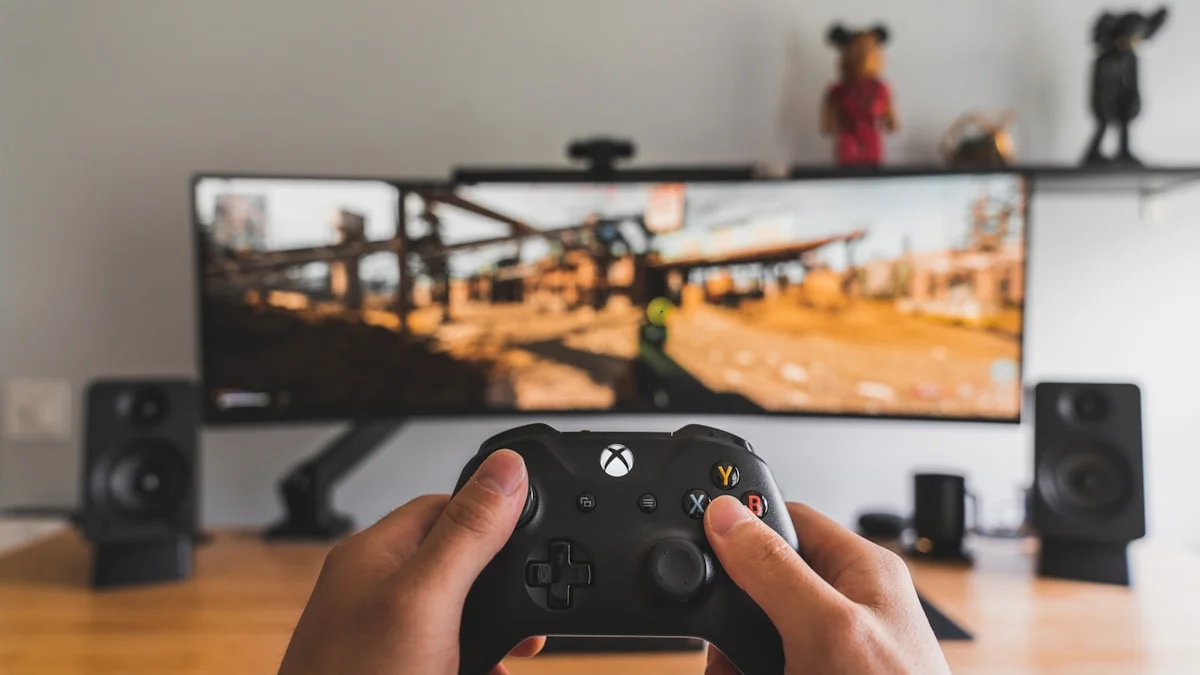
The controller that ships in the box with your console is a genuinely good piece of hardware — comfortable, reliable, and perfectly capable for the vast majority of players. But the market for premium “pro” controllers has grown substantially, and in 2026 there are more good reasons than ever to consider stepping up, whether that’s from a first-party manufacturer’s own high-end model or from a respected third-party brand. This guide walks through what actually separates standard and pro controllers, so you can decide whether the upgrade is worth it for how you play.
Standard Controllers: Still a Genuinely Good Default
It’s worth stating plainly that the standard controller included with a current-generation console remains an excellent piece of engineering. Build quality, stick precision, button feel, and battery life on modern first-party standard controllers are all strong, and for the large majority of players — including plenty of competitive ones — a standard controller is not holding them back in any meaningful way. If you’re not sure whether you need more, the honest starting point is to keep using your standard controller until you can point to a specific frustration it’s causing you, whether that’s stick drift after heavy use, wanting more buttons within easy reach, or wanting finer control over sensitivity curves.
What Pro Controllers Actually Add
The features that define a pro controller tend to cluster around a few specific upgrades. Back paddles or additional rear buttons are the most visible addition, letting you map actions like jump, reload, or crouch to buttons under your fingers so you never have to lift your thumb off the stick to reach a face button — a genuine advantage in fast-paced games where thumb movement costs you precision and time. Remappable buttons more broadly, sometimes controlled through companion software and sometimes through onboard profile switches, let you customize the entire control scheme per game or per genre, which matters more than it might sound for players who switch between very different game types.
Adjustable trigger stops, which let you shorten trigger travel for faster shots in shooters, swappable or higher-precision thumbsticks, and more premium grip materials round out the typical feature set. Some pro controllers also add onboard profile storage so your remapped layout travels with the controller itself rather than living only in a companion app, which matters if you play across multiple devices. Premium haptics and adaptive trigger resistance, where supported, add a layer of immersion and feedback that standard controllers, and even some pro controllers, don’t replicate. It’s worth noting that different pro controllers make different tradeoffs — some prioritize haptic and trigger feedback, others prioritize battery life and cross-platform software support — so it’s worth matching the specific strengths of a given model to what you’ll actually use.
Wireless Latency: What Actually Matters
Wireless latency gets talked about with a lot of anxiety online, but the practical reality in 2026 is that modern wireless controllers using a proper low-latency connection, whether that’s a dedicated wireless protocol or a solid Bluetooth implementation, are close enough to wired that the difference is imperceptible for the overwhelming majority of players in the overwhelming majority of games. Where latency genuinely matters is at the highest levels of competitive play, particularly in fast-paced shooters and fighting games, where some competitive players still prefer a wired connection or a controller’s dedicated low-latency wireless mode over generic Bluetooth specifically to strip out any variable. If you’re not playing at that level, don’t let latency anxiety drive your purchase — comfort, button layout, and remapping features will affect your day-to-day experience far more than shaving off single-digit milliseconds of input lag.
That said, if you do go wireless, it’s worth understanding that not all wireless connections on a given controller perform identically. Many controllers support both a proprietary low-latency wireless connection and a standard Bluetooth mode for broader device compatibility, and the Bluetooth mode is typically the slightly slower, less consistent of the two. If your controller supports both, use the dedicated wireless mode with your primary console or PC and reserve Bluetooth for secondary devices like a phone, tablet, or a different console.
Cross-Platform Compatibility
One of the more useful shifts in the controller market has been the growth of genuinely cross-platform pro controllers, which work across PC, current-generation consoles, and even mobile or cloud gaming devices through a mix of wired, Bluetooth, and dongle-based connections. If you regularly play across more than one platform — say, a console at home and a gaming PC or laptop elsewhere — a cross-platform controller means you don’t need to buy and configure a separate one for each ecosystem, and it means your remapped button layout and paddle assignments can often carry over between platforms rather than needing to be rebuilt from scratch. Some first-party pro controllers lean specifically into their own ecosystem with the deepest feature support there and comparatively function well but more basically elsewhere, so if cross-platform use is a priority for you, check specifically how full-featured a given controller is outside its home platform before assuming parity.
Making the Call: Is a Pro Controller Worth It?
Pro controllers are a real, worthwhile upgrade for a specific kind of player: someone who plays competitively enough that faster reaction access to extra buttons has genuine value, someone who wants deep customization of sensitivity and button mapping across different games, or someone who simply wants the nicer materials, more precise sticks, and extra durability that come with a higher price tag. They’re a much harder sell for casual or story-focused players, who are unlikely to notice the difference in daily use and would probably get more value putting that money toward a game library or other gear. If you’re on the fence, think about the specific frustration you’re trying to solve — extra reachable inputs, finer remapping, better battery life, or cross-platform flexibility — and let that specific need, rather than general hype around premium controllers, guide which model and feature set actually makes sense for you.